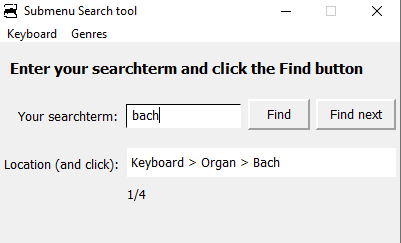
Last week I experimented with several options for my idea of a (Menu-)Submenu-Search-tool. A database solution with NeoBookDB plugin (now NeoDB) is a serious one: it runs fast with 300 records. Its basic database capabilities are sufficient and the necessary external database file in dBase format (dbf) is easy to maintain when the menu-submenuitems are modified (the dbf file can be opened and edited with e.g. LibreOffice Calc).
I made a demo application with a small dBase database that has all the functionality that I need. You can download the pub and the dbf/dbt files here.
To get an idea, watch the Screenrecording, which makes clear what I want.
If you open mcm4.dbf e.g. in LibreOffice Calc, you see two columns: LOCATION and TEXTS
The header LOCATION refers to the MenuHeading (Keyboard, Genres), menuitem (organ, piano, fugue) and submenitem (Bach, Mozart, Chopin). The header TEXTS contains the description when the (sub)menitem is clicked
The search tool looks in TEXTS and gives LOCATION as result.
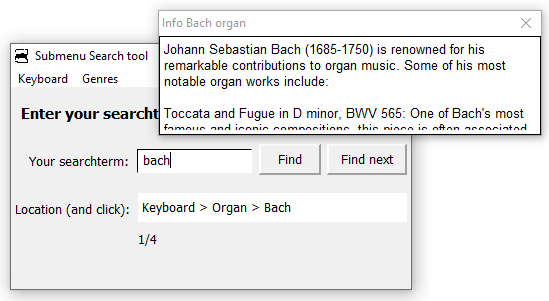
The LOCATION field in the application is in fact the caption of a pushbutton: if the location e.g. Keyboard > Organ > Bach is shown after a search, you can press the button and see the description on Bach.
So there are two ways to get the info on Bach:
click the menu Keyboard, submenu Organ, subsubmenu Bach.
use the search tool, which searches in the dBase file mcm4.dbf and the same info on Bach could be found
The demo is for me ok. But any ideas are welcome.
Luis, Gaev, Daniel and Hans-Peter: thank you for your support and ideas.
Notice Normally I would replace in the software code, the literal string 'mcm4' by a variable. But some strange effects are the result: it appears that in the result variable [mcm4.LOCATION] 'mcm4' has to be hard coded.